
Playing casino games on a phone is convenient, but a good mobile experience involves more than fitting a desktop page onto a small screen. Australian players should consider browser access, app availability, account protection, payments and responsible-play controls before choosing how to play. The leon casino login page is best treated as an information point, while the operator’s current account and cashier screens provide the practical details for an individual player. This guide explains the mobile options described in Leon’s current help material and how to use them carefully.

Choose the browser as the consistent mobile option
Leon provides a responsive website designed for smartphones and tablets. Through a mobile browser, players can access the casino lobby, live casino, cashier, promotions and account settings without installing a native application. This can be useful for people who move between devices or prefer not to add gambling software to their phone. The browser experience is also the more consistent choice because it does not depend on the operating system or a particular app release.
On a smaller screen, navigation deserves attention. Game sections can be browsed from the mobile lobby, while individual titles contain their own rules and settlement information. Before staking, open the game information and check the available controls, paytable or rule section rather than relying on a desktop demonstration. Live casino tables may have additional interface elements, so a stable connection and a screen large enough to read the displayed information can make the session easier to manage.
Browser play also reduces the need to change device security settings. Keep the phone’s operating system and browser updated, use a private connection you trust, and avoid saving account credentials on a shared handset. If a page behaves unexpectedly, close it and return through the official website rather than entering details into an unfamiliar pop-up. These simple habits help separate a genuine account session from a potentially misleading copycat page.
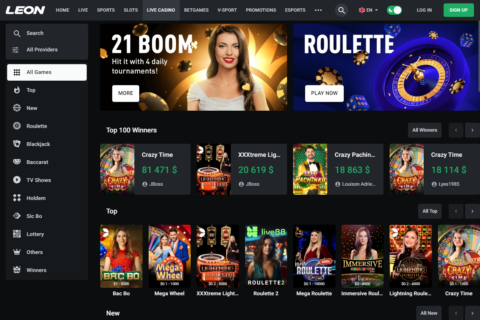
Understand Android and iPhone access
Android users can install a dedicated Leon APK downloaded from the operator’s website. An APK is an application package installed outside the standard Google Play Store process. Depending on the phone’s security settings, installation may require permission to install apps from unknown sources. That permission should be considered carefully because it changes how the handset handles software obtained outside its usual app marketplace.
The safest approach is to confirm that the file comes from the operator’s stated website, check the address before downloading, and remove any installation permission that is no longer needed. Do not use an APK copied from a forum, file-sharing page or message from an unknown sender. If the file name, publisher information or download page looks inconsistent, use the mobile browser instead. The browser version provides a practical alternative without requiring an additional installation.
For iPhone and iPad users, Leon’s current English help material says the iOS app is unavailable for technical reasons and directs users to the mobile website. Some country-specific help pages describe different iOS arrangements, so Australian players should not assume that an app mentioned elsewhere is available locally. The responsive browser site remains the dependable option across both major mobile platforms, subject to the operator’s current access arrangements.
Protect the account before playing
Mobile phones are easily lost, borrowed or left unlocked, making account security especially important. Leon supports login with an account number, registered email address or registered phone number, together with the password. If one identifier is rejected, trying another registered identifier may help distinguish a typing error from a wider access problem. Avoid entering credentials while connected to an untrusted public network or on a device that stores other people’s data.
Two-factor authentication can be enabled in account settings, adding another security step beyond the password. Leon also provides an optional six-digit PIN, which can be used for login, withdrawals and limit settings once activated. The PIN is not a reason to share access with anyone else. Keep recovery details current, and never disclose a one-time code, password or PIN to someone claiming to be support through an unofficial message.
If access is lost, the password-recovery function accepts the registered email address or mobile number and sends instructions through the relevant channel. A forgotten PIN can also be reset using registered contact details. When automated recovery is unavailable, Customer Service can assist. A closed account normally cannot be restored through a simple password reset, so check account-closure emails before repeatedly attempting to sign in.
Check the mobile cashier before making a payment
The cashier displayed on a mobile device is more useful than a general list of payment methods because availability can depend on region, account currency and the current payment-system configuration. AUD availability and the methods shown may vary between accounts. Review the actual deposit and withdrawal screens before choosing a method, and pay attention to the minimum and maximum amounts displayed for that option.
Leon’s help material documents withdrawals to bank accounts, crypto wallets, e-wallets and other methods that may appear in the cashier. Australian-facing information may mention cards, Skrill, Neteller, MuchBetter, Neosurf, bank transfer or cryptocurrencies, but these should not be treated as guaranteed options. PayID availability is inconsistent in current reviews, so it should only be considered available when it is visibly offered in the individual cashier.
Leon does not charge its own standard deposit or withdrawal transaction fee, although a card issuer, bank, e-wallet provider or blockchain network may charge separately. Card withdrawals can take up to three working days, excluding weekends and holidays, while a processed bank payout can still take up to three business days to reach the receiving account. A pending request may be cancelled from Transaction History, but cancellation is unavailable after processing begins.
Use mobile controls to keep play manageable
A phone makes casino access highly portable, which can be convenient but also makes it easier to play impulsively. Before opening a game, decide how much time and money you are prepared to spend, and treat that amount as entertainment expenditure rather than an income source. A winning session is never guaranteed, and a short mobile session cannot establish a game’s long-term return or volatility.
Leon provides responsible gambling tools through Profile > Settings, including controls for limiting playing sessions. Players can also ask Customer Service to restrict access to selected platform sections. These controls are more useful when set before a problem develops, rather than after losses have created pressure to continue. Keep a record of deposits and casino activity through the account’s transaction history if you want a clearer view of your overall use.
It is also worth separating casino play from other products on the wider platform. Leon offers sports betting, virtual sports and esports, but these are separate from casino play and can create additional opportunities to spend. If you feel unable to stay within your limits, stop using the account and contact Customer Service about available restrictions or closure. Account closure can be requested after remaining funds have been withdrawn.
Keep records and resolve mobile problems
Small screens can make it easy to overlook confirmation messages, pending statuses or game details. After a deposit or withdrawal, save the receipt or note the amount and time until the transaction is complete. Transaction History provides a place to review deposits, withdrawals and casino activity. The cashier status is more reliable than assuming that a bank or wallet has received funds immediately.
If a casino result appears incorrect, Leon’s support process asks for the game name, stake, exact time and, where possible, a screenshot from game history. Casino and slot bets are settled automatically on the provider’s side, so precise information helps support identify the relevant round. For payment issues, keep the transaction amount, time, receipt and payment confirmation available rather than sending vague descriptions from a phone.
Customer Service is described in Leon’s help material as operating 24/7 and handling login problems, verification, payment tracing, withdrawal status, technical faults and casino disputes. If the mobile site stops responding, first check the connection, refresh the browser and review whether the issue affects one game or the whole account. Do not create a second account to bypass a technical problem: only one account is permitted per person.
FAQ
Is a native mobile app required to play?
No. The responsive mobile website is the consistent option for smartphones and tablets, giving access to casino games, live casino, account tools and the cashier through a browser. Android users may have access to a Leon APK, while iOS app availability is market-dependent and should not be assumed.
Which payment method will be available on my phone?
The cashier shows the methods available for your region, account currency and current payment configuration. General lists are not guarantees. Check the displayed limits and conditions before depositing or withdrawing, and remember that banks, e-wallets, card issuers and blockchain networks may apply separate charges.
What should I do if mobile account access fails?
Try the registered email, phone number or account number, then use password recovery if needed. Check for an account-closure notice before continuing. If automated recovery does not work, contact Customer Service using the operator’s stated support channel and avoid opening another account, as only one account is permitted.